

How online RSVP works, step by step
Every wedding RSVP website does roughly the same thing:
- You add your guests, usually grouped into households or parties.
- You say which events each guest is invited to.
- You share a link, by email, WhatsApp or a QR code on your invitation.
- The guest finds their invitation, either by typing their name or by opening a private link.
- They answer for each person in their party and each event: yes or no, meal choice, dietary needs, and anything else you ask.
- You see the replies in a dashboard, with totals per event and per meal, and usually a spreadsheet download.
The difference between a good and a frustrating RSVP is mostly in the first two steps. If the guest list is set up well, the rest takes care of itself.
Name lookup, private links or an open form
There are three ways a guest can find their RSVP.
Name lookup. The guest types their name and the site finds their party. This is how Hitched, Zola and Joy usually work. It's simple, but names must match exactly. Hitched's help centre warns that guests must enter their first and last name as you wrote them, so check for nicknames, double-barrelled surnames and extra spaces. Expect "Bob" to look for "Robert".
Private household links. Each household gets its own link that opens their invitation directly, with no typing. This avoids name mismatches and means guests only see the events they're invited to. Our Wedding Website and Signature packages work this way, and Joy says invitations sent through Joy include a personal link to the guest's schedule.
Open form. Anyone with the link can reply. This is what you get with a general website builder like Squarespace or Wix, and it's how our Free Starter's simple RSVP works: yes or no, and how many are coming. Fine for a small single-event wedding, but you can't see who hasn't replied, and you have to trust the headcount.
From us
Website packages · Wedding print Wedding websiteWedding Website£99 one-offYour full wedding website with RSVP for every event, meal choices and a private link for each household.See Wedding Website →
 Wedding printPrinted wedding invitationsfrom £36.28Printed invitations and save the dates on quality card, with a QR code that opens your wedding website.Design it online →
 Wedding printThank-you cardsfrom £42.34Folded thank-you cards with your favourite photo from the day on the front.Design it online →
 Wedding printWedding welcome signsfrom £20.38Rigid welcome boards for the entrance or an easel, printed with your names and date.Design it online →
Replies for each event
If you have more than one event, guests should reply to each one separately. A typical UK wedding might have a ceremony and wedding breakfast for 60 and an evening reception for 120. A South Asian wedding might have a mehndi, nikah or anand karaj, and a reception, each with a different list.
What to check in any RSVP website:
- Guests only see events they're invited to. Day guests shouldn't see the evening-only wording, and evening guests shouldn't feel left out of something they can see.
- Each event has its own yes or no.
- Each event can have its own questions. Meal choices only matter for the sit-down meal.
- The dashboard totals each event separately, because your caterer and venue will want separate numbers.
Joy, Zola, The Knot and Hitched all let you assign guests to events. Our Wedding Website covers up to three events, with an extra event at £20 each, and Signature covers any number.
Meal choices and dietary needs
Ask for meal choices only where there's a choice to make, and only for guests at that meal.
Good practice:
- Name each dish the way the menu will, so the caterer's list matches.
- Add a children's option if you have one, and ask for each child separately.
- Keep allergies and dietary needs as a separate question from the meal choice. "Vegetarian" is a meal choice. "Coeliac" or "nut allergy" is a dietary need the kitchen must know about whatever the guest picks.
- Use a short free-text box for dietary needs, with a hint: "Allergies or dietary needs we should pass to the caterer".
UK food businesses have to give allergen information on the 14 major allergens, but your caterer can only plan around what you tell them. Pass the full list on, not just a count.
Plus-ones and children
The cleanest way to handle plus-ones is to add them to the guest list before you send anything.
- Named plus-ones: add the partner by name in the same household. They reply like anyone else.
- Unnamed plus-ones: add a placeholder such as "Guest of Sam Patel" and let the guest type the name when they reply. Most platforms allow this.
- No plus-one: don't add a placeholder, and the form won't offer one.
The same goes for children. If children are invited, add them by name. If not, the household should only show the adults, and your website's FAQ can say so kindly. A form that asks "How many are coming?" with no limit invites people to bring extra guests.
Setting a deadline and chasing late replies
Work backwards from your venue. Ask your caterer and venue when they need final numbers, then set your RSVP deadline at least a week or two before that. You'll need the gap to chase people and do the seating plan.
Late replies are normal. In most weddings, a handful of households don't answer by the deadline. A good RSVP website makes chasing easier:
- Filter your dashboard for "no reply" and you have your chase list.
- Send a short personal message, not a group one: "Hi both, just checking you got our invitation. Could you let us know by Friday? Here's your link."
- Resend the private link, so they don't have to search.
- After two reminders, phone them, or ask a family member who's in touch.
Our Bespoke package includes this as a service: we send reminders and chase replies, then send the final headcount per event to your caterer and venue.
Printed RSVP cards, QR codes or both
Printed reply cards still work, and some guests prefer them. But they cost postage both ways, arrive slowly, and you have to type every answer into a spreadsheet yourself.
A popular middle way is a printed invitation with a QR code that opens the RSVP page. The guest scans it with their phone camera and replies in under a minute.
Tips for QR codes on invitations:
- Print the web address under the QR code too, for anyone who can't scan.
- Test the printed proof with two or three different phones before printing the full run.
- Make the code at least 2cm across and keep a white border round it.
- Point the code at an address you control, so you can fix the page without reprinting.
For older relatives who don't use smartphones, offer another way to reply: a phone number, or let a family member reply for them. Nobody should miss out because they can't use the form. Our Free Starter includes a QR code for your invitations.
Guest data and UK GDPR
Your RSVP holds personal details: names, contact details, who's coming with whom, and sometimes health information such as allergies.
The law: according to the ICO, UK GDPR doesn't apply to information used purely for personal or household activities, such as keeping an address book or a Christmas card list. A couple organising their own wedding is generally in that position. The business that hosts your RSVP is not. It's a company processing your guests' data, and it must follow UK GDPR.
What that means for you:
- Choose a provider with a clear privacy policy that says where data is kept, who can see it and how long it's kept.
- Check whether guests have to create an account or are added to a mailing list when they reply.
- Collect only what you need. You need allergies; you don't need dates of birth.
- Only share guest details with suppliers who need them, such as your caterer.
- After the wedding, download what you want to keep and delete the rest, including the site if you can.
If a planner, venue or other business runs the RSVP for you, they have their own UK GDPR duties.
What to look for in a wedding RSVP website
- Guests can reply for everyone in their household in one go.
- Each event has its own reply and questions.
- Guests only see the events they're invited to.
- Meal choices and dietary needs are separate questions.
- You can see who hasn't replied, and download everything as a spreadsheet.
- You can change a reply for a guest who phones you.
- It works well on a phone, because that's where most guests will open it.
- The privacy policy is clear and the data can be deleted.
Do guests need an account to RSVP online?
On most wedding RSVP websites, no. Guests find their invitation by name or a private link and reply. Check this on your platform before you choose it, because asking guests to sign up puts some off, especially older relatives.
Can guests change their RSVP after replying?
Usually yes, by going back to the same link or name lookup before the deadline. You can also edit a reply yourself in the dashboard, which Zola, for example, allows at any time. After your deadline, ask guests to contact you directly, so last-minute changes reach the caterer.
How early should the RSVP website be live?
Have it ready before your invitations go out, which many UK couples do around six to eight weeks before the wedding, or earlier for destination weddings. If you're sending save the dates, you can share the site then and open RSVPs later.
What if a guest says they can't find their name?
Check the spelling in your guest list against what they typed: nicknames, maiden names, hyphens and extra spaces cause most problems. If your platform uses private links, simply resend theirs. Otherwise, reply on their behalf from the dashboard.
Is online RSVP enough, or do I need reply cards as well?
For most UK weddings, online RSVP with a QR code on the invitation is enough, as long as you offer a phone number or a family member as a fallback for guests who don't use smartphones. Add printed reply cards only if many of your guests would rather post a card back.
Checklist
- Set up your guest list in households before sharing anything.
- Assign each guest to the events they're invited to.
- Ask your caterer and venue when they need final numbers, then set your RSVP deadline earlier.
- Keep meal choices and dietary needs as separate questions.
- Add named or placeholder plus-ones before sending invitations.
- Test the QR code on your printed proof with several phones.
- Offer a phone or family fallback for guests who can't use the form.
- Download your replies and delete guest data you no longer need after the wedding.



 Save the date cards
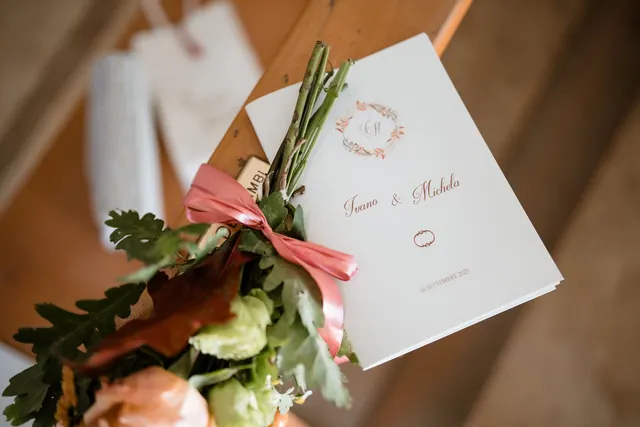 Order of service booklets
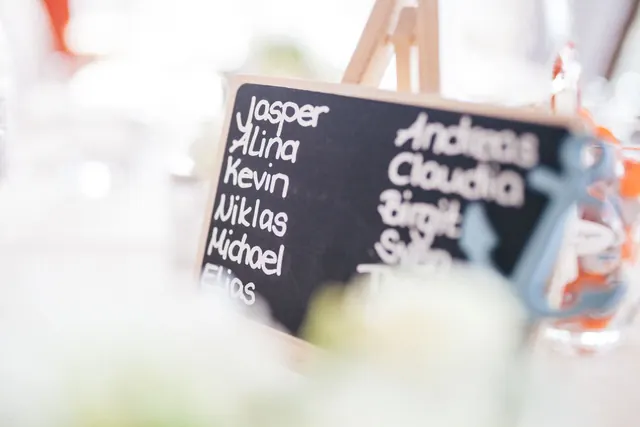 Table plan boards